01 / Docs
Docs that live in GitHub.
GitHub draws Mermaid diagrams in Markdown, but not PlantUML. This fills that gap for READMEs and docs folders.

puml-for-markdown
Point a Markdown comment at a .puml file. puml-for-markdown puts the rendered diagram next to it, and blocks in one diagram can open another.
Command-line tool and GitHub Action · Free and open source
npm i -g puml-for-markdownNode.js 22 or newer · Linux, macOS and Windows · MIT license
Counts from November 19, 2026.
Keep .puml or .plantuml files in your repo. !include, sprites and C4 diagrams work.
<!----> 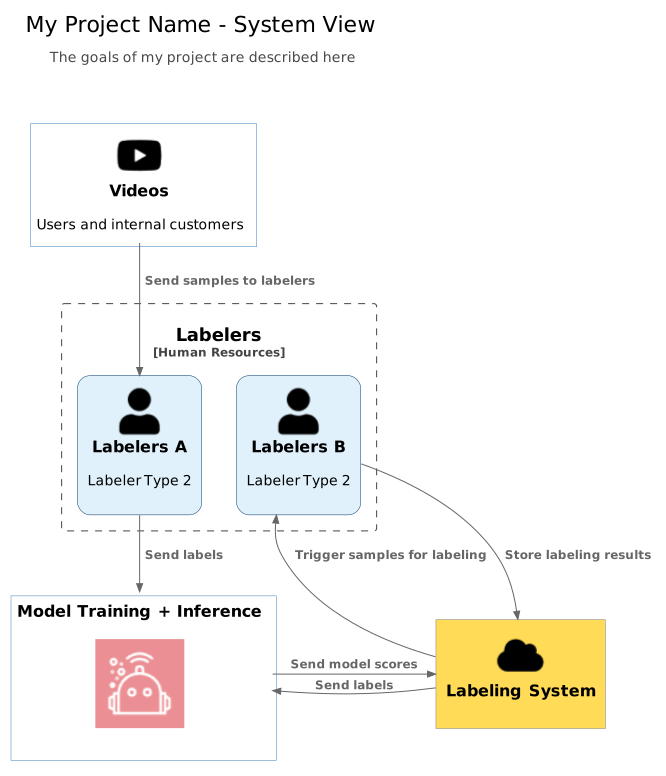
Wide diagram. Scroll sideways to see all of it, or switch to actual size.
Exported with puml-for-markdown --local-images -f svg. The diagram content is placeholder text.
Quick start
npm i -g puml-for-markdown
cd your-project
puml-for-markdown.gitignore rules.--check fails when the docs are stale, without writing anything.--local-images -f svg exports SVG files and links to them.--hot-reload reruns every 2 seconds while you edit.# .github/workflows/diagrams.yml
name: Diagrams
on:
push:
branches: [main]
permissions:
contents: write
jobs:
diagrams:
runs-on: ubuntu-latest
steps:
- uses: actions/checkout@v4
- uses: danielyaa5/puml-for-markdown@v2main and commits only the files it changed.mode: check on pull requests to fail when diagrams are out of date.01 / Docs
GitHub draws Mermaid diagrams in Markdown, but not PlantUML. This fills that gap for READMEs and docs folders.
02 / Private repos
No tokens and no image files to commit. Use your own PlantUML server when the diagrams themselves are private.
03 / Teams
The Action keeps diagrams current on every push, or fails pull requests whose diagrams are stale.
--puml-server-url and turn off shortening with -t..puml-cache.json so unchanged diagrams aren't rendered again. Add it to your .gitignore.No. GitHub renders Mermaid diagrams in Markdown, but not PlantUML. puml-for-markdown adds the rendered image, or a link to it, next to a Markdown comment that names your .puml file.
No. By default the Markdown links to the diagram on the PlantUML server, through a short link. If you want files in the repo, --local-images exports PNG or SVG files and links to those.
Yes, without tokens. The links carry the diagram's source, so for private diagrams run your own PlantUML server with --puml-server-url and turn off shortening with -t.
Edit the .puml file and run the tool again, or let the GitHub Action do it. To change the link text or switch between image and link, edit the comment and rerun. There's no need to delete the old output.
Node.js 22 or newer. Install it with npm i -g puml-for-markdown. Automated tests run on Linux, macOS and Windows.
Found a bug or want a feature? Open an issue on GitHub.
By Daniel Yakobian · MIT license. puml-for-markdown is independent and is not affiliated with PlantUML or GitHub.